A computer is a handy tool for many school assignments. To that end, the following sections focus on some ways you can use a computer in your studies. These include using a computer for writing, doing research, communicating with other students, calculating numeric data, creating charts or graphs, taking digital pictures, shooting videos, and getting extra help.
Writing
One of the most common ways people use a computer is as a replacement for the old-fashioned typewriter or pen and paper. Rather than type a paper or write out a paper long-hand, for example, you can use your computer and a word processing program, such as Word, to type it.
Using a word processing program for any kind of written work provides many benefits, including the following.
- You can easily correct mistakes, either as you type (using the Backspace or Delete key) or when you review your work.
- You can reorganize the contents of the writing. Sometimes, when you review your work, you find that one sentence or paragraph belongs before another. Or your conclusion may actually work better as an introduction. With a word processing program, you can easily move information to a different location. You can also delete sentences, paragraphs, and words (to get rid of repetition or to correct mistakes) and copy passages (if you want to use them again in the same or another document).
- You can make formatting changes to improve the appearance of the document. For example, in a research paper, you can make the section headings bold and bigger so that they stand out. You can emphasize new terms by italicizing them. You can create bulleted or numbered lists, add a border to a paragraph, change the page margins, create headers and footers, and more.
- Check your spelling and grammar. You can use the spelling checker to make sure your paper doesn’t include any typographical errors. Most word processing programs also enable you to check your grammar. Note, however, that neither of these tools is foolproof. The spelling checker only flags words it can’t find in its dictionary; it doesn’t know whether you used each word correctly. (For example, the spelling checker won’t flag “their” even if it should be “there.”) The grammar checker also doesn’t catch all errors and may flag sentences that are already correct. So, you still must proofread and correct your work.
- Insert graphic elements. You can also insert pictures, illustrations, graphs, charts, clipart (pre-drawn art), and other visual image files into your document.
- Create outlines. Most programs have an outline feature that helps you type up an outline, which is a great planning tool when writing papers or creating research assignments.
These are the key benefits of using a word processing program. As your assignments get more difficult, you may need to insert footnotes or endnotes or create a Table of Contents. Word processing programs can help create these and other elements.
Doing Research
With an Internet connection, look up facts, statistics, and other information. You can search for data on a topic for a research assignment. You can also browse through current news stories to find one suitable for a class discussion.
Communicating with Your Instructor and with Other Students
With an Internet connection, you can easily communicate with anyone who has an e-mail address. You can send e-mail messages to your instructor or to other students. You can also attach files to an e-mail message. For example, you can proactively e-mail an assignment to your instructor if you must miss a class. Your instructor may, in response, e-mail you what you’ve missed during your absence and tell you what homework you need to complete.
Most schools have Web sites, and some instructors are able to post important information on the site. For example, you may find a list of test dates, or you may find links for solving extra problems or handouts. Having a Web site not only lets you and the instructors stay in contact but also provides a way for students and parents to stay up-to-date on school activities.
Another way to communicate is by using Instant Messaging (IM). You set up a list of your buddies and their screen names. If one of these students is online when you are, you’ll be notified. You can then send text messages to each other by typing and sending the message. This can be helpful if you want to ask a classmate for clarification about an assignment. You can also use Instant Messaging to talk to and make new friends online (within your school and beyond school). Keep in mind that you can easily get distracted by messaging. If you are studying, keep the messaging to a minimum or log off so that you can focus on your work.
Calculating Numeric Data and Creating Charts
In some classes, you may be required to calculate and study numeric data beyond solving typical math problems. For example, in a practical math class like business math, you may have to track the income and expenses of a small company. To help store and create formulas for calculating data, you may use a spreadsheet program (for instance, Excel).
You use spreadsheet programs to create worksheets. A worksheet consists of a grid of rows and columns, and the intersection of a row and column is a cell. You can enter text or numbers into the cells. You can then create formulas to perform calculations on your entries. For example, you may want to sum all of the products sold within the first quarter. Or you may want to determine the average price of a list of products and prices. You can use a spreadsheet program to create anywhere from simple to complex formulas, such as figuring out the payments on a loan or calculating amortization.
One of the benefits of using a spreadsheet program is that it accurately calculates results (unless you’ve made an incorrect entry or created the formula incorrectly). You can change any of the entries referenced in the formula, and the formula will be recalculated immediately, saving you plenty of time. You can also use a spreadsheet program to create a database list; the program also includes commands for working with lists of like data. For example, you could sort all customers in your sample company by state. You can add subtotals for each sales region to see the total of sales by region, as well as the grand total.
In fact, if you plan to venture into business management, sales and marketing, or some financial field, you’ll most likely use a spreadsheet program, even if you aren’t introduced to it in your classes.
Another tool found in spreadsheet programs is the ability to create a chart. A chart can show at a glance a trend or a key aspect of the data. For example, a pie chart of product sales can help you easily spot your best-selling product. Line charts can help you spot trends over time, such as whether sales are decreasing (and, if so, by how much) or increasing.
You can even use a chart to illustrate data from a science experiment, such as a range of temperatures over several weeks or the growth rate of plants. Or suppose that, as part of a math class, you have to create a fictional business and forecast sales; you can do so with a chart. While charts might not be appropriate for your current studies, you’ll probably find that creating them is a useful tool in other classes as you further your education.
Taking Pictures or Creating Videos
With the advent of digital cameras and digital video recorders, many students are familiar with how to take pictures and create movies using a digital camera. If not, you can still use the traditional methods for taking pictures and creating videos.
For research assignments, you can take pictures and insert them in your report. For example, you can document plant growth for a science project on the effects of using a fertilizer by taking photographs at various stages. Likewise, you can take pictures of something in nature to use in an art assignment.
Digital cameras offer several advantages over their non-digital counterparts. First, you can preview every picture (and delete and retake them, if needed). Second, you can get prints quickly, using your computer, a film printing kiosk, or traditional printing services. (You can also order prints online, but that takes longer.) Third, you can copy pictures from your camera to the computer, and then use photo-editing changes to make changes or repairs to each picture. For example, you can fix red-eye or crop the picture so that the focus is on a particular portion of the photo.
Digital video cameras have also become popular, which means you may be challenged to create a movie as part of a project. For example, you might create a film of a skit based on a novel you’ve read. You can create a film to demonstrate some activity, such as playing an instrument or performing an experiment.
If you don’t have digital camera technology available to you, you can still find pictures (in printed works or online) to use in your research assignment. Also, rather than filming a skit, you can perform it in class. In the end, the creativity and applicability of your pictures or videos are what’s most important, not the method you used to create them.
Getting Extra Help
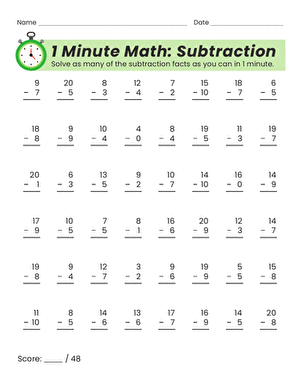
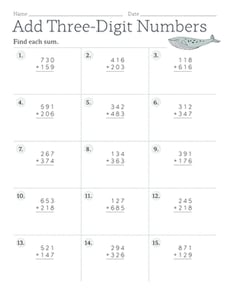
Computers are also an excellent method to get extra help on a topic or subject that you find difficult. For example, if you’re struggling with math, you can purchase a practice math program with a CD that includes sample problems (and answers). In fact, your textbook or course materials may include a CD component for extra studies. You can also purchase a program to help you study a foreign language, such as Spanish or French, and use this program to practice at home.
You’ll find that you can purchase educational software on a variety of topics and subjects. Look for these programs at discount stores (such as Target, Wal-Mart, Kmart, Sam’s, or Costco), at electronic and computer stores (like Best Buy), and at office supply stores (like Office Depot, OfficeMax, or Staples), and online.
You may also be able to find free help online. For example, you can find sites that help with vocabulary or explain science in terms that may be easier for you to understand. See the “Searching the Internet Using a Search Tool” section later in this chapter for tips on searching the Internet.
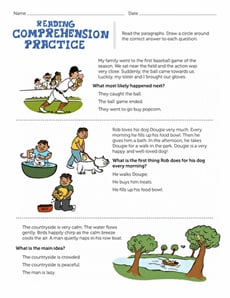
If you don’t have a computer, you can also find print resources to help with the same tasks. For example, you can find printed workbooks for practicing algebra, grammar, spelling, reading and comprehension, and other topics.
Before Purchasing . . .
Before you purchase a software program as a tutorial, check your school or local library. Either or both may have resources that you can borrow.