SKIP TO CONTENT
Worksheet Generator
Subjects
Grades
Worksheets
Games
Build a Worksheet
More Resources
Roly Recommends
Subjects
Grades
Worksheets
Games
Build a Worksheet
More Resources
Roly Recommends
Letters Typing Resources for 'in' : Page 2
Filters
Technology
43 results
Search for: in
✕
Technology
✕
Letters
✕
Clear all
43 results
Subtopics:
Typing
✕
Show Less
Filters
Search for: in
✕
Technology
✕
Letters
✕
Subjects
Technology
Grade Level
Pre-K
K
1st
2nd
3rd
4th
5th
6th
7th
8th
Early Childhood
Elementary School
Middle School
Resource Type
Worksheets
Games
Lesson Plans
Guided Lessons
Typing
Accuracy
Letters
Numbers
Paragraphs
Sentences
Speed
Symbols
Words
Clear all
View 43 results
Letters Typing Resources for 'in' : Page 2
Filters
43 results
Search for: in
✕
Technology
✕
Letters
✕
Clear all
43 results
Typing Bottom Row 1
Guided Lesson
Typing Bottom Row 1
First Grade
Typing
Help your child practice typing the bottom row keys individually and in combination with each other accurately and quickly with these gem mining and flying squirrel typing games. Need a tip? Placing thumbs onto the space bar is a great reminder to help your child have good keyboarding form.
Guided Lesson
Typing Bottom Row 1
Guided Lesson
Typing Bottom Row 1
Help your child practice typing the bottom row keys individually and in combination with each other accurately and quickly with these gem mining and flying squirrel typing games. Need a tip? Placing thumbs onto the space bar is a great reminder to help your child have good keyboarding form.
First Grade
Typing
Guided Lesson
Typing Top Row 2
Guided Lesson
Typing Top Row 2
First Grade
Typing
This typing lesson helps kids practice typing using keys in the top row of a computer keyboard. Using a series of interactive exercises, kids will gain confidence typing top row keys with speed and accuracy. Encourage your students to become more independent computer users with this top row typing lesson.
Guided Lesson
Typing Top Row 2
Guided Lesson
Typing Top Row 2
This typing lesson helps kids practice typing using keys in the top row of a computer keyboard. Using a series of interactive exercises, kids will gain confidence typing top row keys with speed and accuracy. Encourage your students to become more independent computer users with this top row typing lesson.
First Grade
Typing
Guided Lesson
Typing Home Row 2
Guided Lesson
Typing Home Row 2
First Grade
Typing
The home row refers to the center row of a keyboard. New typers use the homerow as a point of reference for how to position their hands when they are using a computer. This lesson will help your students learn how to type letters in the home row with accuracy, fluency, and even a little bit of fun.
Guided Lesson
Typing Home Row 2
Guided Lesson
Typing Home Row 2
The home row refers to the center row of a keyboard. New typers use the homerow as a point of reference for how to position their hands when they are using a computer. This lesson will help your students learn how to type letters in the home row with accuracy, fluency, and even a little bit of fun.
First Grade
Typing
Guided Lesson
Typing Top Row 1
Guided Lesson
Typing Top Row 1
First Grade
Typing
As students progress in their typing skills, they'll want to branch out from the home row. This lesson introduces young typers to the top row on a keyboard, allowing them to expand their typing vocabulary and gain independence as computer users. These lessons will help kids exercise correct finger placement, typing accuracy, and speed.
Guided Lesson
Typing Top Row 1
Guided Lesson
Typing Top Row 1
As students progress in their typing skills, they'll want to branch out from the home row. This lesson introduces young typers to the top row on a keyboard, allowing them to expand their typing vocabulary and gain independence as computer users. These lessons will help kids exercise correct finger placement, typing accuracy, and speed.
First Grade
Typing
Guided Lesson
Home Row Typing: F-J-D-K-S-L-A with Gem Miner
Game
Home Row Typing: F-J-D-K-S-L-A with Gem Miner
First Grade
Typing
Time to practice seven home row keys at once: F, J, D, K, S, L, and A.
Game
Home Row Typing: F-J-D-K-S-L-A with Gem Miner
Game
Home Row Typing: F-J-D-K-S-L-A with Gem Miner
Time to practice seven home row keys at once: F, J, D, K, S, L, and A.
First Grade
Typing
Game
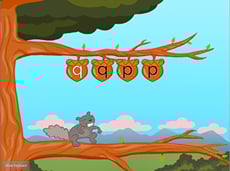
Top Row Typing: Q and P with Squirrel
Game
Top Row Typing: Q and P with Squirrel
First Grade
Typing
Mind your Ps and Qs — but don't be afraid to go nuts!
Game
Top Row Typing: Q and P with Squirrel
Game
Top Row Typing: Q and P with Squirrel
Mind your Ps and Qs — but don't be afraid to go nuts!
First Grade
Typing
Game
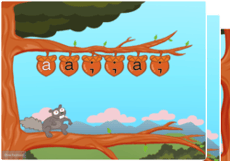
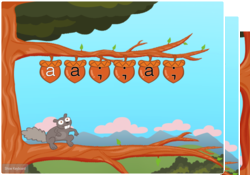
Typing Home Row Keys a and semicolon
Game
Typing Home Row Keys a and semicolon
First Grade
Typing
Hitting home row letters to the far left and the far right give pinkies the typing practice they need to be comfortable with the letter a and the semicolon.
Game
Typing Home Row Keys a and semicolon
Game
Typing Home Row Keys a and semicolon
Hitting home row letters to the far left and the far right give pinkies the typing practice they need to be comfortable with the letter a and the semicolon.
First Grade
Typing
Game
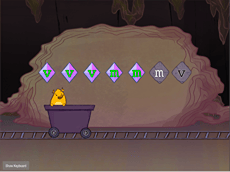
Bottom Row Typing: V and M with Gem Miner
Game
Bottom Row Typing: V and M with Gem Miner
First Grade
Typing
Practice touch typing bottom row keys V and M as our feathered friend amasses gems.
Game
Bottom Row Typing: V and M with Gem Miner
Game
Bottom Row Typing: V and M with Gem Miner
Practice touch typing bottom row keys V and M as our feathered friend amasses gems.
First Grade
Typing
Game
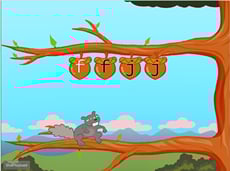
Home Row Typing: F and J with Squirrel
Game
Home Row Typing: F and J with Squirrel
First Grade
Typing
Soar to new heights with our flying hero as you master the F and J keys.
Game
Home Row Typing: F and J with Squirrel
Game
Home Row Typing: F and J with Squirrel
Soar to new heights with our flying hero as you master the F and J keys.
First Grade
Typing
Game
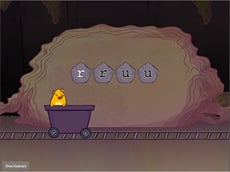
Top Row Typing: R and U with Gem Miner
Game
Top Row Typing: R and U with Gem Miner
First Grade
Typing
Start learning the top row of the keyboard with the R and U keys using your index fingers.
Game
Top Row Typing: R and U with Gem Miner
Game
Top Row Typing: R and U with Gem Miner
Start learning the top row of the keyboard with the R and U keys using your index fingers.
First Grade
Typing
Game
Bottom Row Typing with Gem Miner
Game
Bottom Row Typing with Gem Miner
First Grade
Typing
This extra-challenging lesson combines the V, M, C, X, Z, B, N, comma, and period keys.
Game
Bottom Row Typing with Gem Miner
Game
Bottom Row Typing with Gem Miner
This extra-challenging lesson combines the V, M, C, X, Z, B, N, comma, and period keys.
First Grade
Typing
Game
Top Row Typing: R-U-F-J-E-I-D-K with Squirrel
Game
Top Row Typing: R-U-F-J-E-I-D-K with Squirrel
First Grade
Typing
Time to branch out with letters R, U, F, J, E, I, D, and K!
Game
Top Row Typing: R-U-F-J-E-I-D-K with Squirrel
Game
Top Row Typing: R-U-F-J-E-I-D-K with Squirrel
Time to branch out with letters R, U, F, J, E, I, D, and K!
First Grade
Typing
Game
Where Do My Fingers Go? Capital Letters S-D-F-J-K-L
Worksheet
Where Do My Fingers Go? Capital Letters S-D-F-J-K-L
Third Grade
Typing
It’s time to practice typing capital letters using correct finger placement.
Worksheet
Where Do My Fingers Go? Capital Letters S-D-F-J-K-L
Worksheet
Where Do My Fingers Go? Capital Letters S-D-F-J-K-L
It’s time to practice typing capital letters using correct finger placement.
Third Grade
Typing
Worksheet
1
2