SKIP TO CONTENT
Worksheet Generator
Subjects
Grades
Worksheets
Games
Build a Worksheet
More Resources
Roly Recommends
Subjects
Grades
Worksheets
Games
Build a Worksheet
More Resources
Roly Recommends
Elementary School Technology Resources for 'i'
Filters
Technology
12 results
Search for: i
✕
Technology
✕
Elementary School
✕
Clear all
12 results
Subtopics:
Typing
Computer Science
Show Less
Filters
Search for: i
✕
Technology
✕
Elementary School
✕
Subjects
Math
English Language Arts
Science
Social Studies
Foreign Language
Technology
Grade Level
Pre-K
K
1st
2nd
3rd
4th
5th
6th
7th
8th
Early Childhood
Elementary School
Middle School
Resource Type
Games
Lesson Plans
Common Core
Yes
Clear all
View 12 results
Elementary School Technology Resources for 'i'
Filters
12 results
Search for: i
✕
Technology
✕
Elementary School
✕
Clear all
12 results
Top Row Typing: E and I with Gem Miner
Game
Top Row Typing: E and I with Gem Miner
First Grade
Typing
Fill Birdee's cart with gems as you practice touch typing top-row letters E and I.
Game
Top Row Typing: E and I with Gem Miner
Game
Top Row Typing: E and I with Gem Miner
Fill Birdee's cart with gems as you practice touch typing top-row letters E and I.
First Grade
Typing
Game
Top Row Typing: R-U-E-I-W-O with Squirrel
Game
Top Row Typing: R-U-E-I-W-O with Squirrel
First Grade
Typing
Type R, U, E, I, W, and O to feed hungry squirrel, and get valuable touch typing practice.
Game
Top Row Typing: R-U-E-I-W-O with Squirrel
Game
Top Row Typing: R-U-E-I-W-O with Squirrel
Type R, U, E, I, W, and O to feed hungry squirrel, and get valuable touch typing practice.
First Grade
Typing
Game
Top Row Typing: R-U-F-J-E-I-D-K with Squirrel
Game
Top Row Typing: R-U-F-J-E-I-D-K with Squirrel
First Grade
Typing
Time to branch out with letters R, U, F, J, E, I, D, and K!
Game
Top Row Typing: R-U-F-J-E-I-D-K with Squirrel
Game
Top Row Typing: R-U-F-J-E-I-D-K with Squirrel
Time to branch out with letters R, U, F, J, E, I, D, and K!
First Grade
Typing
Game
Typing Top Row Keys r, u, e, i, w, and o
Game
Typing Top Row Keys r, u, e, i, w, and o
First Grade
Typing
Type all of the 6 letters -- r, u, e, i, w and o -- that you've learned so far in the top row of the keyboard together.
Game
Typing Top Row Keys r, u, e, i, w, and o
Game
Typing Top Row Keys r, u, e, i, w, and o
Type all of the 6 letters -- r, u, e, i, w and o -- that you've learned so far in the top row of the keyboard together.
First Grade
Typing
Game
Top Row Typing: R-U-E-I with Gem Miner
Game
Top Row Typing: R-U-E-I with Gem Miner
First Grade
Typing
Practice typing the first four letters of the top row of the keyboard — R, U, E, and I — together and in random patterns.
Game
Top Row Typing: R-U-E-I with Gem Miner
Game
Top Row Typing: R-U-E-I with Gem Miner
Practice typing the first four letters of the top row of the keyboard — R, U, E, and I — together and in random patterns.
First Grade
Typing
Game
Top Row Typing: R-U-E-I-W-O-Q-P-T-Y with Gem Miner
Game
Top Row Typing: R-U-E-I-W-O-Q-P-T-Y with Gem Miner
First Grade
Typing
Gain accuracy in typing R, U, E, I, W, O, Q, P, T, and Y in this fun game.
Game
Top Row Typing: R-U-E-I-W-O-Q-P-T-Y with Gem Miner
Game
Top Row Typing: R-U-E-I-W-O-Q-P-T-Y with Gem Miner
Gain accuracy in typing R, U, E, I, W, O, Q, P, T, and Y in this fun game.
First Grade
Typing
Game
Top Row Typing: R-U-E-I-W-O-Q-P with Gem Miner
Game
Top Row Typing: R-U-E-I-W-O-Q-P with Gem Miner
First Grade
Typing
You've practiced the top row keys in various combinations — now it's time to try eight together: R, U, E, I, W, O, Q.
Game
Top Row Typing: R-U-E-I-W-O-Q-P with Gem Miner
Game
Top Row Typing: R-U-E-I-W-O-Q-P with Gem Miner
You've practiced the top row keys in various combinations — now it's time to try eight together: R, U, E, I, W, O, Q.
First Grade
Typing
Game
Typing Top Row Keys r, u, f, j, e, i, d, and k
Game
Typing Top Row Keys r, u, f, j, e, i, d, and k
First Grade
Typing
Start combining the first keys you learned in the top row with those you learned practicing typing in the homerow.
Game
Typing Top Row Keys r, u, f, j, e, i, d, and k
Game
Typing Top Row Keys r, u, f, j, e, i, d, and k
Start combining the first keys you learned in the top row with those you learned practicing typing in the homerow.
First Grade
Typing
Game
What Is an Algorithm?
Lesson Plan
What Is an Algorithm?
Second Grade
Engineering and Science Inquiry
In this lesson, students will learn to create a simple algorithm using block code. The platform used for this activity is a website created by Google that provides free educational games that teach students to program using block code.
Lesson Plan
What Is an Algorithm?
Lesson Plan
What Is an Algorithm?
In this lesson, students will learn to create a simple algorithm using block code. The platform used for this activity is a website created by Google that provides free educational games that teach students to program using block code.
Second Grade
Engineering and Science Inquiry
Lesson Plan
My Robot Friend
Lesson Plan
My Robot Friend
Kindergarten
Writing
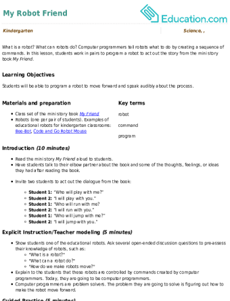
What is a robot? What can robots do? Computer programmers tell robots what to do by creating a sequence of commands. In this lesson, students work in pairs to program a robot to act out the story from the mini story book
My Friend.
Lesson Plan
My Robot Friend
Lesson Plan
My Robot Friend
What is a robot? What can robots do? Computer programmers tell robots what to do by creating a sequence of commands. In this lesson, students work in pairs to program a robot to act out the story from the mini story book
My Friend.
Kindergarten
Writing
Lesson Plan
Typing: Capital Letters and Punctuation
Lesson Plan
Typing: Capital Letters and Punctuation
Third Grade
Typing
It’s time to for your students to move onto learning more complex typing skills! This lesson teaches your students how to type capital letters, periods, question marks, and exclamation marks using correct finger placement.
Lesson Plan
Typing: Capital Letters and Punctuation
Lesson Plan
Typing: Capital Letters and Punctuation
It’s time to for your students to move onto learning more complex typing skills! This lesson teaches your students how to type capital letters, periods, question marks, and exclamation marks using correct finger placement.
Third Grade
Typing
Lesson Plan
Troubleshooting
Lesson Plan
Troubleshooting
Third Grade
Engineering and Science Inquiry
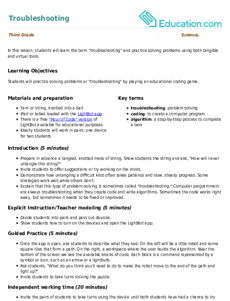
In this lesson, students will learn the term "troubleshooting" and practice solving problems using both tangible and virtual tools.
Lesson Plan
Troubleshooting
Lesson Plan
Troubleshooting
In this lesson, students will learn the term "troubleshooting" and practice solving problems using both tangible and virtual tools.
Third Grade
Engineering and Science Inquiry
Lesson Plan
1