SKIP TO CONTENT
Worksheet Generator
Subjects
Grades
Worksheets
Games
Build a Worksheet
More Resources
Roly Recommends
Art Contest
Subjects
Grades
Worksheets
Games
Build a Worksheet
More Resources
Roly Recommends
Art Contest
1st Grade Technology Resources for 'the'
Filters
Technology
59 results
Search for: the
✕
Technology
✕
1st Grade
✕
Clear all
59 results
Subtopics:
Typing
Computer Science
Show Less
Filters
Search for: the
✕
Technology
✕
1st Grade
✕
Subjects
Math
English Language Arts
Science
Social Studies
Foreign Language
Technology
Grade Level
Pre-K
K
1st
2nd
3rd
4th
5th
6th
7th
8th
Early Childhood
Elementary School
Middle School
Resource Type
Worksheets
Games
Activities
Guided Lessons
Clear all
View 59 results
1st Grade Technology Resources for 'the'
Filters
59 results
Search for: the
✕
Technology
✕
1st Grade
✕
Clear all
59 results
Cody: The Coding Game
Game
Cody: The Coding Game
Kindergarten
Computer Science
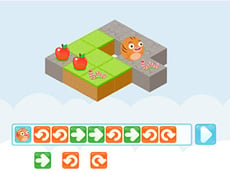
In the third game of the Coding With Roly series, sequence, run, and test code to help Roly eat some delicious apples.
Game
Cody: The Coding Game
Game
Cody: The Coding Game
In the third game of the Coding With Roly series, sequence, run, and test code to help Roly eat some delicious apples.
Kindergarten
Computer Science
Game
Toys on the Grid
Activity
Toys on the Grid
First Grade
Engineering and Science Inquiry
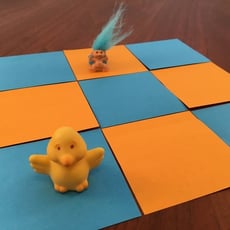
In this activity, students will be challenged to describe and count the ways a toy moves from one position on a grid to another.
Activity
Toys on the Grid
Activity
Toys on the Grid
In this activity, students will be challenged to describe and count the ways a toy moves from one position on a grid to another.
First Grade
Engineering and Science Inquiry
Activity
Robot Around the Block
Activity
Robot Around the Block
First Grade
Engineering and Science Inquiry
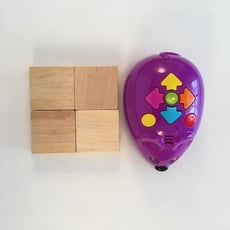
This activity is a fun challenge for students who have just started learning to program educational robots.
Activity
Robot Around the Block
Activity
Robot Around the Block
This activity is a fun challenge for students who have just started learning to program educational robots.
First Grade
Engineering and Science Inquiry
Activity
Typing Home Row Keys a and semicolon
Game
Typing Home Row Keys a and semicolon
First Grade
Typing
Hitting home row letters to the far left and the far right give pinkies the typing practice they need to be comfortable with the letter a and the semicolon.
Game
Typing Home Row Keys a and semicolon
Game
Typing Home Row Keys a and semicolon
Hitting home row letters to the far left and the far right give pinkies the typing practice they need to be comfortable with the letter a and the semicolon.
First Grade
Typing
Game
Typing Top Row Keys r, u, f, j, e, i, d, and k
Game
Typing Top Row Keys r, u, f, j, e, i, d, and k
First Grade
Typing
Start combining the first keys you learned in the top row with those you learned practicing typing in the homerow.
Game
Typing Top Row Keys r, u, f, j, e, i, d, and k
Game
Typing Top Row Keys r, u, f, j, e, i, d, and k
Start combining the first keys you learned in the top row with those you learned practicing typing in the homerow.
First Grade
Typing
Game
Typing Words: Round Two
Game
Typing Words: Round Two
First Grade
Typing
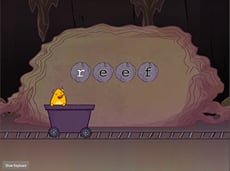
What's the catch of the day? Some extra typing challenges!
Game
Typing Words: Round Two
Game
Typing Words: Round Two
What's the catch of the day? Some extra typing challenges!
First Grade
Typing
Game
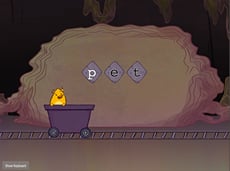
Top Row Typing: R and U with Gem Miner
Game
Top Row Typing: R and U with Gem Miner
First Grade
Typing
Start learning the top row of the keyboard with the R and U keys using your index fingers.
Game
Top Row Typing: R and U with Gem Miner
Game
Top Row Typing: R and U with Gem Miner
Start learning the top row of the keyboard with the R and U keys using your index fingers.
First Grade
Typing
Game
Top Row Typing: R-U-E-I with Gem Miner
Game
Top Row Typing: R-U-E-I with Gem Miner
First Grade
Typing
Practice typing the first four letters of the top row of the keyboard — R, U, E, and I — together and in random patterns.
Game
Top Row Typing: R-U-E-I with Gem Miner
Game
Top Row Typing: R-U-E-I with Gem Miner
Practice typing the first four letters of the top row of the keyboard — R, U, E, and I — together and in random patterns.
First Grade
Typing
Game
Typing Bottom Row v, m, and c
Game
Typing Bottom Row v, m, and c
First Grade
Typing
Start typing with the first four letters in the bottom row of your keyboard.
Game
Typing Bottom Row v, m, and c
Game
Typing Bottom Row v, m, and c
Start typing with the first four letters in the bottom row of your keyboard.
First Grade
Typing
Game
Typing Top Row Keys r, u, e, i, w, and o
Game
Typing Top Row Keys r, u, e, i, w, and o
First Grade
Typing
Type all of the 6 letters -- r, u, e, i, w and o -- that you've learned so far in the top row of the keyboard together.
Game
Typing Top Row Keys r, u, e, i, w, and o
Game
Typing Top Row Keys r, u, e, i, w, and o
Type all of the 6 letters -- r, u, e, i, w and o -- that you've learned so far in the top row of the keyboard together.
First Grade
Typing
Game
Typing Bottom Row Keys x and period
Game
Typing Bottom Row Keys x and period
First Grade
Typing
Learn to type the letter x and the period -- all in one fun and quick game. Plus learn to type words that have the letter x in them.
Game
Typing Bottom Row Keys x and period
Game
Typing Bottom Row Keys x and period
Learn to type the letter x and the period -- all in one fun and quick game. Plus learn to type words that have the letter x in them.
First Grade
Typing
Game
Top Row Typing: T and Y with Gem Miner
Game
Top Row Typing: T and Y with Gem Miner
First Grade
Typing
Extend those index fingers up and in to start learning T and Y, the final letters in the top row of the keyboard.
Game
Top Row Typing: T and Y with Gem Miner
Game
Top Row Typing: T and Y with Gem Miner
Extend those index fingers up and in to start learning T and Y, the final letters in the top row of the keyboard.
First Grade
Typing
Game
Typing Numbers: 3 and 8 with Gem Miner
Game
Typing Numbers: 3 and 8 with Gem Miner
First Grade
Typing
In this game, the focus is on the 3 and 8 keys — and brilliant gems, of course!
Game
Typing Numbers: 3 and 8 with Gem Miner
Game
Typing Numbers: 3 and 8 with Gem Miner
In this game, the focus is on the 3 and 8 keys — and brilliant gems, of course!
First Grade
Typing
Game
Home Row Typing: F-J-D-K with Gem Miner
Game
Home Row Typing: F-J-D-K with Gem Miner
First Grade
Typing
Students practice the F, J, D, and K keys as they take their skills to the next level.
Game
Home Row Typing: F-J-D-K with Gem Miner
Game
Home Row Typing: F-J-D-K with Gem Miner
Students practice the F, J, D, and K keys as they take their skills to the next level.
First Grade
Typing
Game
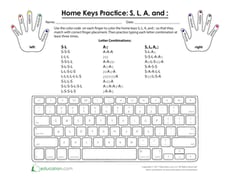
Home Keys Practice: S, L, A, and ;
Worksheet
Home Keys Practice: S, L, A, and ;
Kindergarten
Typing
Help your students familiarize themselves with the finger placement for the S, L, A, and semicolon keys in this fun lesson!
Worksheet
Home Keys Practice: S, L, A, and ;
Worksheet
Home Keys Practice: S, L, A, and ;
Help your students familiarize themselves with the finger placement for the S, L, A, and semicolon keys in this fun lesson!
Kindergarten
Typing
Worksheet
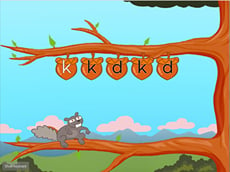
Home Row Typing: F-J-D-K with Squirrel
Game
Home Row Typing: F-J-D-K with Squirrel
First Grade
Typing
You've mastered the F and J keys and the D and K keys — now it's time to practice them all together!
Game
Home Row Typing: F-J-D-K with Squirrel
Game
Home Row Typing: F-J-D-K with Squirrel
You've mastered the F and J keys and the D and K keys — now it's time to practice them all together!
First Grade
Typing
Game
Typing Numbers
Guided Lesson
Typing Numbers
First Grade
Typing
1, 2, 3, go! Help your child beat their words per minute game after game with these typing numbers games. Using the numbers at the top of the keyboard, your students will get lots of practice integrating numbers into their sentences and paragraphs. Try practicing these games with the numerical keyboard for a fun challenge!
Guided Lesson
Typing Numbers
Guided Lesson
Typing Numbers
1, 2, 3, go! Help your child beat their words per minute game after game with these typing numbers games. Using the numbers at the top of the keyboard, your students will get lots of practice integrating numbers into their sentences and paragraphs. Try practicing these games with the numerical keyboard for a fun challenge!
First Grade
Typing
Guided Lesson
Typing Home Row 2
Guided Lesson
Typing Home Row 2
First Grade
Typing
The home row refers to the center row of a keyboard. New typers use the homerow as a point of reference for how to position their hands when they are using a computer. This lesson will help your students learn how to type letters in the home row with accuracy, fluency, and even a little bit of fun.
Guided Lesson
Typing Home Row 2
Guided Lesson
Typing Home Row 2
The home row refers to the center row of a keyboard. New typers use the homerow as a point of reference for how to position their hands when they are using a computer. This lesson will help your students learn how to type letters in the home row with accuracy, fluency, and even a little bit of fun.
First Grade
Typing
Guided Lesson
Typing Top Row Keys q and p
Game
Typing Top Row Keys q and p
First Grade
Typing
Stretch those pinkies to type the top row letters q and p. Once you've mastered these letters, you've got most of the top row covered.
Game
Typing Top Row Keys q and p
Game
Typing Top Row Keys q and p
Stretch those pinkies to type the top row letters q and p. Once you've mastered these letters, you've got most of the top row covered.
First Grade
Typing
Game
Squirrel Typing Bottom Row Keys z and slash
Game
Squirrel Typing Bottom Row Keys z and slash
First Grade
Typing
Practice typing the z and slash keys.
Game
Squirrel Typing Bottom Row Keys z and slash
Game
Squirrel Typing Bottom Row Keys z and slash
Practice typing the z and slash keys.
First Grade
Typing
Game
Roly's Coding Game: Cody
Game
Roly's Coding Game: Cody
Kindergarten
Computer Science
Develop coding skills by helping Roly eat apples. In the final game of the Cody series, your child will learn to problem solve and think ahead.
Game
Roly's Coding Game: Cody
Game
Roly's Coding Game: Cody
Develop coding skills by helping Roly eat apples. In the final game of the Cody series, your child will learn to problem solve and think ahead.
Kindergarten
Computer Science
Game
Home Row Typing: S and L with Squirrel
Game
Home Row Typing: S and L with Squirrel
First Grade
Typing
Practice the S and L keys in this lively game.
Game
Home Row Typing: S and L with Squirrel
Game
Home Row Typing: S and L with Squirrel
Practice the S and L keys in this lively game.
First Grade
Typing
Game
Home Row Typing: Uppercase Letters with Gem Miner
Game
Home Row Typing: Uppercase Letters with Gem Miner
First Grade
Typing
Practice touch typing home row keys in uppercase using the Shift key.
Game
Home Row Typing: Uppercase Letters with Gem Miner
Game
Home Row Typing: Uppercase Letters with Gem Miner
Practice touch typing home row keys in uppercase using the Shift key.
First Grade
Typing
Game
Home Row Typing: S and L with Gem Miner
Game
Home Row Typing: S and L with Gem Miner
First Grade
Typing
Students practice the S and L keys in this fun typing game.
Game
Home Row Typing: S and L with Gem Miner
Game
Home Row Typing: S and L with Gem Miner
Students practice the S and L keys in this fun typing game.
First Grade
Typing
Game
Home Row Typing: D and K with Squirrel
Game
Home Row Typing: D and K with Squirrel
First Grade
Typing
Students gain accuracy in the D and K keys in this lively game.
Game
Home Row Typing: D and K with Squirrel
Game
Home Row Typing: D and K with Squirrel
Students gain accuracy in the D and K keys in this lively game.
First Grade
Typing
Game
Top Row Typing: Words with Gem Miner (Part One)
Game
Top Row Typing: Words with Gem Miner (Part One)
First Grade
Typing
It's time to put your touch typing skills to the test with real words.
Game
Top Row Typing: Words with Gem Miner (Part One)
Game
Top Row Typing: Words with Gem Miner (Part One)
It's time to put your touch typing skills to the test with real words.
First Grade
Typing
Game
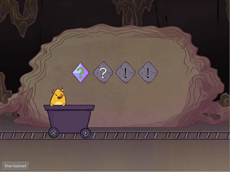
Typing Symbols with Gem Miner (Part One)
Game
Typing Symbols with Gem Miner (Part One)
First Grade
Typing
Practice using the shift key to type parenthesis, exclamation points, question marks, and quotation marks.
Game
Typing Symbols with Gem Miner (Part One)
Game
Typing Symbols with Gem Miner (Part One)
Practice using the shift key to type parenthesis, exclamation points, question marks, and quotation marks.
First Grade
Typing
Game
Bottom Row Typing: Space Bar
Game
Bottom Row Typing: Space Bar
First Grade
Typing
Give your thumbs a workout with the space bar in this bottom row typing game.
Game
Bottom Row Typing: Space Bar
Game
Bottom Row Typing: Space Bar
Give your thumbs a workout with the space bar in this bottom row typing game.
First Grade
Typing
Game
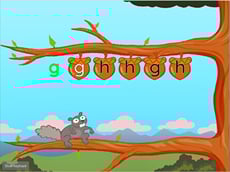
Home Row Typing: G and H with Squirrel
Game
Home Row Typing: G and H with Squirrel
First Grade
Typing
Practice typing the letters G and H with your second fingers in this fun game.
Game
Home Row Typing: G and H with Squirrel
Game
Home Row Typing: G and H with Squirrel
Practice typing the letters G and H with your second fingers in this fun game.
First Grade
Typing
Game
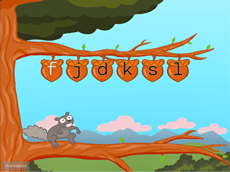
Home Row Typing: F-J-D-K-S-L with Squirrel
Game
Home Row Typing: F-J-D-K-S-L with Squirrel
First Grade
Typing
Now that you've had some practice typing the various home row keys, let's practice six together!
Game
Home Row Typing: F-J-D-K-S-L with Squirrel
Game
Home Row Typing: F-J-D-K-S-L with Squirrel
Now that you've had some practice typing the various home row keys, let's practice six together!
First Grade
Typing
Game
1
2